
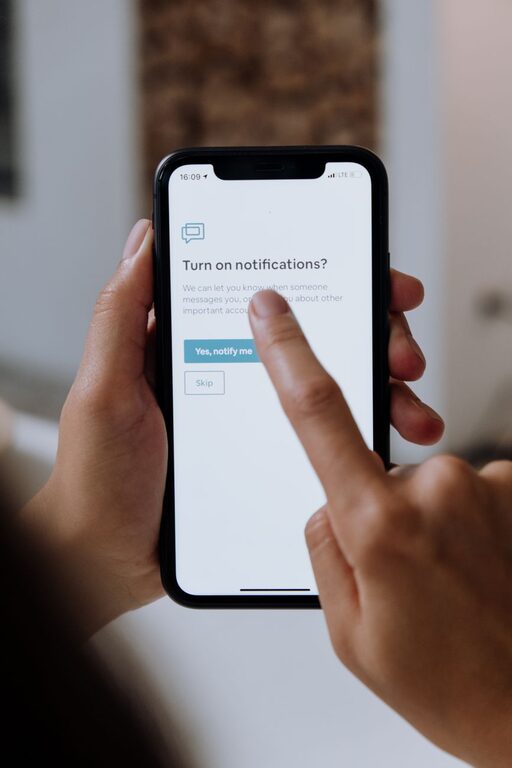
In today’s digitally connected world, notifications from apps, emails, and messages can quickly overwhelm us. While notifications serve important functions—reminding us of meetings, messages, or updates—they can also disrupt focus, increase stress, and negatively impact productivity. Setting clear boundaries with notifications is essential to maintain balance and stay in control of your time.
This post offers practical tips to help you manage and set boundaries with notifications effectively.
Why Setting Boundaries with Notifications Matters
Notifications are designed to capture your attention, often instantly and interrupting whatever you’re doing. Constant interruptions can:
– Decrease productivity by breaking concentration
– Increase stress and anxiety
– Interfere with sleep and personal time
– Make it difficult to be present during conversations or tasks
By setting boundaries, you take back control over when and how notifications reach you. This leads to better focus, improved well-being, and a healthier relationship with your devices.
Step 1: Audit Your Notifications
Start by understanding which notifications you receive and their importance.
– Review your apps: Go through your phone and computer and list all apps that send notifications.
– Identify essential vs. non-essential: Mark which notifications are truly important (e.g., work emails, calendar reminders) versus those that can wait (e.g., social media likes).
– Unsubscribe when possible: If newsletters or promotional alerts clutter your inbox, consider unsubscribing or muting them.
Knowing what types of notifications you get is the first step to managing them.
Step 2: Customize Notification Settings
Most devices and apps allow you to adjust notification settings. Take advantage of these to tailor what alerts you get.
– Use Do Not Disturb mode: Schedule this for specific times such as during work hours or evenings.
– Prioritize contacts: Set your phone to allow calls or messages only from certain contacts during quiet hours.
– Turn off non-urgent app notifications: Disable push notifications for apps that don’t require immediate attention.
– Group notifications: Some platforms let you group notifications so you receive them in batches rather than immediately.
Customizing settings reduces unnecessary distractions while ensuring you don’t miss important alerts.
Step 3: Set Specific Times for Checking Notifications
Constantly checking notifications can fragment your attention. Instead, set dedicated times to review them.
– Batch check: Designate a few times per day when you review messages and emails rather than responding instantly.
– Use timers: If you tend to get sucked into social media, set time limits for these apps.
– Turn off notifications outside work hours: Particularly helpful if you use your phone for both personal and professional reasons.
Creating scheduled windows helps maintain focus and reduces compulsive checking.
Step 4: Use Technology Tools Wisely
Several tools can help set boundaries with notifications and manage digital distractions.
– Focus or Productivity apps: Apps like Forest, Focus@Will, or Pomodoro timers encourage focused work by limiting interruptions.
– Notification summary features: Some phones summarize notifications and deliver them at chosen times.
– Email filters and rules: Automate inbox sorting so you only see important emails immediately.
These tools can simplify the process and support your new notification habits.
Step 5: Communicate Your Boundaries
Letting others know about your notification preferences can help manage expectations.
– Inform colleagues: If you won’t respond to messages outside work hours, share that clearly.
– Set status indicators: Many messaging apps allow you to set custom statuses explaining when you’re offline or available.
– Encourage face-to-face or scheduled communication: If something is urgent, people can call or schedule a meeting rather than rely on instant messages.
Clear communication supports your boundaries and encourages mutual respect.
Step 6: Practice Mindfulness and Self-Reflection
Finally, be mindful of how notifications affect you and adjust accordingly.
– Notice your reactions: Are notifications causing anxiety or stress? Which ones genuinely help versus hinder you?
– Experiment: Try different settings or schedules and observe what works best.
– Be flexible: Your needs may change over time, so revisit your notification strategy regularly.
Mindfulness helps you maintain a healthy digital lifestyle tailored to your needs.
Bonus Tips: Creating a Healthy Digital Environment
– Keep devices out of reach during focused work or rest times.
– Use silent modes or vibration rather than loud alerts.
– Declutter your home screen to reduce temptation.
– Set visual boundaries by turning off notification badges or icons.
Conclusion
Notifications are useful tools, but without boundaries, they can overwhelm and distract. By auditing your notifications, customizing settings, scheduling check-ins, using helpful tools, communicating boundaries, and practicing mindfulness, you can take control of your digital environment. The result is a more focused, balanced, and less stressful daily experience.
Try implementing these tips gradually and notice how setting boundaries with notifications improves your productivity and well-being.
About the Author